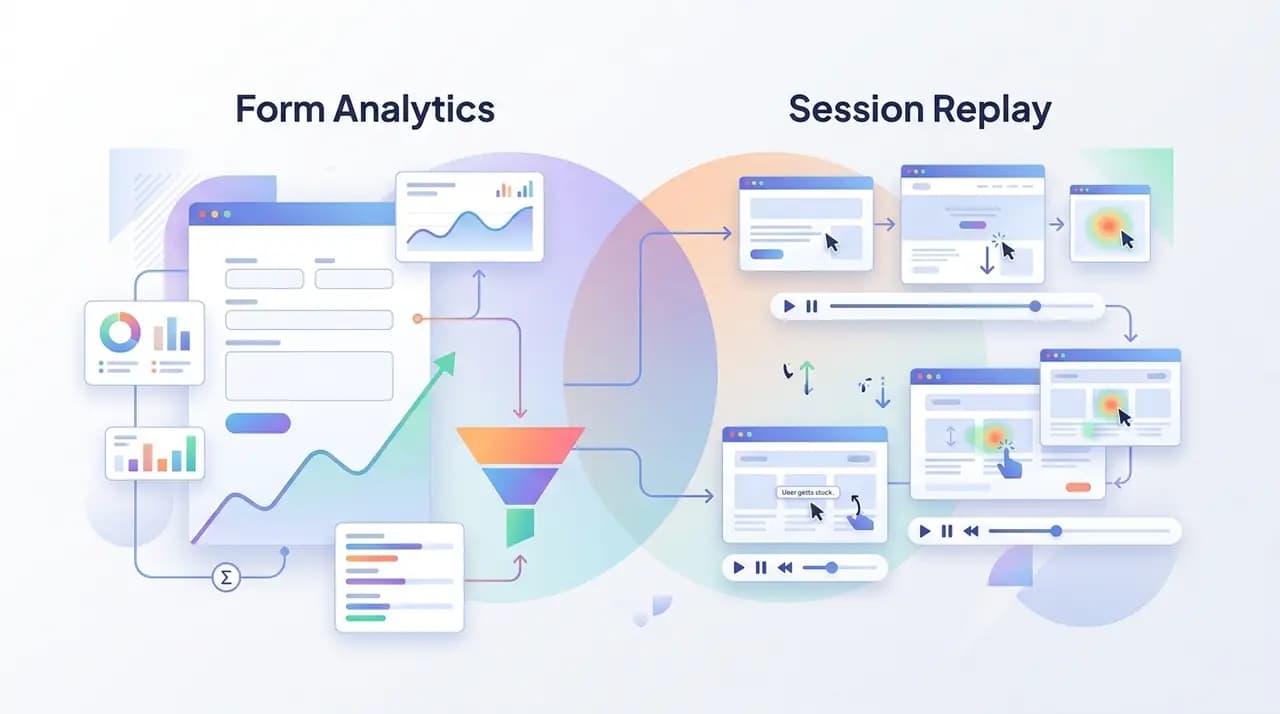
Form analytics and session replay solve different problems. Form analytics gives you aggregated, field-level metrics — drop-off rates, time-on-field, error counts — across thousands of submissions. Session replay gives you a video-like recording of an individual visitor, including every click, scroll, and rage-click, but no aggregation by default. Most CRO teams need both: form analytics tells you what is broken, session replay tells you why.
What is the short answer?
If you only have budget for one, the rule of thumb is: pick form analytics when you want to optimize a specific form at scale, and pick session replay when you want to debug individual visitor frustration on any part of the site. The fastest way to see the difference is the table below.
| Form analytics | Session replay | |
|---|---|---|
| Unit of analysis | A field | A session |
| Output | Numbers and funnels | A scrubbable recording |
| Best at | "Which field kills the form?" | "What did this visitor experience?" |
| Sample size needed | Thousands | One is useful |
| Aggregation | Built in | Add-on or absent |
| PII surface area | Low | High |
| Storage cost | Low | Higher |
| Typical buyer | CRO / growth | UX / support / engineering |
What does form analytics actually measure?
Form analytics is a narrow discipline. The category was created by Formisimo in the early 2010s and has since been productized by tools like Zuko, Mouseflow's form module, Heap's form events, and Insiteful. What every form-analytics tool measures, in some shape, is:
- Field-level interaction order — which field the visitor focused first, second, third.
- Time on field — how long they spent on each input.
- Error rate per field — how many times each field threw a validation error.
- Re-focus count — how many times they came back to fix a field.
- Drop-off field — the last field they touched before leaving.
- Submission funnel — start → first field → last field → submit → success.
The output is a dashboard of bar charts and a funnel diagram. You don't watch anything; you read numbers. The strength of form analytics is statistical: with a few hundred sessions you can confidently say "the phone number field has a 34% error rate and is killing our conversion." It is the right tool for the job when the job is optimizing one form.
What form analytics is bad at: anything that doesn't happen inside a form. Confused scroll behavior on the page above the form, a tooltip that won't dismiss, a sticky header that covers the submit button on iOS — all invisible to a pure form-analytics tool.
What does session replay actually capture?
Session replay is a different beast. A replay tool records DOM mutations, mouse movements, clicks, scrolls, viewport changes, and console errors, and stitches them into a playback you can scrub through like a video. The most widely used open-source engine for this is rrweb, which compresses the event stream into a few hundred kilobytes per session.
A typical replay tool captures:
- Every page the visitor saw, in order.
- Every click — including rage-click and dead-click detection.
- Scroll position and scroll-depth-tracking over time.
- Form interaction events (focus, blur, change), but not values by default if PII masking is enabled.
- Console errors and network failures.
- Viewport size and device.
What you do not get from raw session replay: aggregation. A pile of 10,000 recordings is not a dashboard — it is 10,000 recordings. To find the interesting ones you need filters, signals, and tags ("show me sessions where the visitor rage-clicked the submit button"). The good replay tools surface those signals automatically; the cheap ones don't, and you end up watching tape like a security guard.
The quiet weakness of session replay
Replay's other weakness is statistical thinness. You watched five sessions and four of them confirmed your hypothesis — does that mean it's true? No. It means you have a hunch worth measuring. Replay should generate hypotheses; analytics should test them.
Where do form analytics and session replay overlap?
The honest answer: they overlap on drop-off detection, and only on drop-off detection. Both will tell you that a visitor abandoned a form. The difference is in what they tell you next.
Drop-off detected on the "phone number" field
├── Form analytics says:  37% of sessions die here, avg 22s spent
└── Session replay says:  here are 5 recordings — watch them
Most modern marketing analytics tools blur the line. Hotjar has a form module and replays. Mouseflow has both. FullStory leans heavily on replay but exposes form metrics. CloseTrace attaches replays directly to abandoned form sessions, so the form-abandonment-rate chart and the recording sit on the same page. The blur is helpful — but it doesn't change the underlying question: are you trying to measure or understand?
Where does only one of the two work?
There are situations where the two categories are not interchangeable.
Compliance audits
If a regulator asks you to prove that a specific user submitted (or did not submit) consent on a specific form, session replay is the only thing that gives you a defensible record. Form analytics gives you a number. Numbers are not evidence of what one user saw and clicked. Make sure the replay is captured under a lawful basis — see is session replay GDPR compliant.
A/B testing variants
For A/B test analysis, form analytics wins. You need conversion rates per variant with enough samples to reach significance. Watching replays of variant B is great for hypothesis generation but tells you nothing about lift.
Accessibility debugging
Session replay wins. If a screen-reader user can't get past your form, no aggregate metric will surface that — the population is too small. A single replay of a keyboard-only user hitting an unlabeled input is worth a thousand bar charts.
Catching novel breakage
Replay wins. Form analytics measures the things you set up. Replay measures everything that happened. The first time a Safari update breaks your date picker, replay shows it; form analytics doesn't, because you never instrumented "date picker broke."
Optimizing a high-traffic checkout
Form analytics wins. With thousands of sessions per day, you can detect tiny improvements (a relabeled field, a reordered step) that a handful of replays would never reveal.
Decision matrix by use case
| Your team / use case | Start with | Add later |
|---|---|---|
| CRO / growth marketing | Form analytics | Session replay |
| UX research | Session replay | Form analytics |
| Compliance / legal | Session replay (with PII masking) | Audit logs |
| Customer support | Session replay | — |
| Engineering debugging | Session replay | Error monitoring |
| Performance / SEO | Neither — use RUM | — |
| Solo founder, one landing page | Either, but pick one | The other |
The matrix collapses to a simpler heuristic: if your team's job is to move a number, start with form analytics. If your team's job is to understand a person, start with session replay.
How do the two tools handle privacy differently?
This is the part most comparison posts skip, so let's be direct.
- Form analytics tools generally process less personal data because they aggregate. Field names and timing are not personal data on their own. A few tools still capture values; check before you adopt.
- Session replay captures more by default — sometimes including the actual content the visitor sees and types. This is why every responsible replay tool ships pii-masking at the SDK level: form fields, anything tagged
data-private, and entire DOM subtrees can be redacted before they ever leave the browser.
The compliance answer is the same for both: lawful basis, data minimization, retention policy, DSAR workflow. The amount of work to get there is higher for replay.
A quick code example: capturing a field-level event
If you want to roll your own form analytics on top of an existing replay tool, the minimal field-level event collector is just a few lines of JavaScript:
document.querySelectorAll('form input, form select, form textarea').forEach((el) => {
  let focusedAt = 0;
  el.addEventListener('focus', () => {
    focusedAt = performance.now();
  });
  el.addEventListener('blur', () => {
    const ms = Math.round(performance.now() - focusedAt);
    analytics.track('field_blur', {
      name: el.name,
      type: el.type,
      timeOnFieldMs: ms,
      hasValue: !!el.value,
    });
  });
});
Note that this example sends hasValue: true/false, never the value itself. That is the cheapest possible privacy posture — and for most form-analytics use cases it is enough.
Frequently asked questions
Do I need both form analytics and session replay?
Eventually, yes — but you don't need both on day one. Start with whichever matches your team's primary job. CRO teams optimizing a specific funnel should start with form analytics. UX or support teams trying to understand individual visitor frustration should start with session replay. Most modern tools, including CloseTrace, bundle the two so the choice is moot.
Is session replay a replacement for form analytics?
No. Session replay shows you what happened in one session at a time. Form analytics shows you what happened across thousands of sessions. They answer different questions and the math is different. You can manually count things in replays, but at any meaningful scale that is a worse experience than a real form-analytics dashboard.
Which tool is better for tracking form-abandonment-rate?
Form analytics is the natural fit because abandonment rate is an aggregate metric. Session replay supports it indirectly: many replay tools surface "visitor abandoned form" as a session signal you can filter on. The ideal setup is a form-analytics report that links to the replays of the abandoning sessions.
Does session replay store more personal data than form analytics?
Generally yes, by default. Session replay captures DOM mutations, which can include text content. Most replay tools mitigate this with input masking and configurable redaction, but the surface area is larger than a typical form-analytics tool that only captures field names, timing, and error counts.
How do form analytics and funnel-analysis differ?
Form analytics is funnel analysis scoped to a single form. A general funnel-analysis tool tracks conversion across multi-page flows ("home → pricing → signup → activated"). A form-analytics tool tracks conversion across the fields of one form ("name → email → phone → submit"). Same shape, different granularity.
Can I get both in one tool?
Yes. Mouseflow, Hotjar, FullStory, and CloseTrace all bundle form analytics with session replay. The tradeoffs are usually pricing and depth: dedicated form-analytics tools tend to have deeper field-level reports, dedicated replay tools have better playback UX, and bundles trade a bit of both for convenience.
Wrapping up
The cleanest way to think about it: form analytics is a microscope, session replay is a camera. Microscopes are precise and statistical. Cameras are qualitative and contextual. You wouldn't try to do science with only a camera, and you wouldn't try to understand a single person's experience with only a microscope.
If you are picking a tool today, decide which question you ask more often — how many? or why this person? — and start there. To see how CloseTrace combines the two for lead recovery specifically, see why session replay matters for lead recovery.